

Never occupies the port
The bundled kernel driver only attaches a filter. Your application keeps the port handle and keeps talking — CommMonitor just watches the traffic.
Native Windows serial monitoring · Driver-level capture
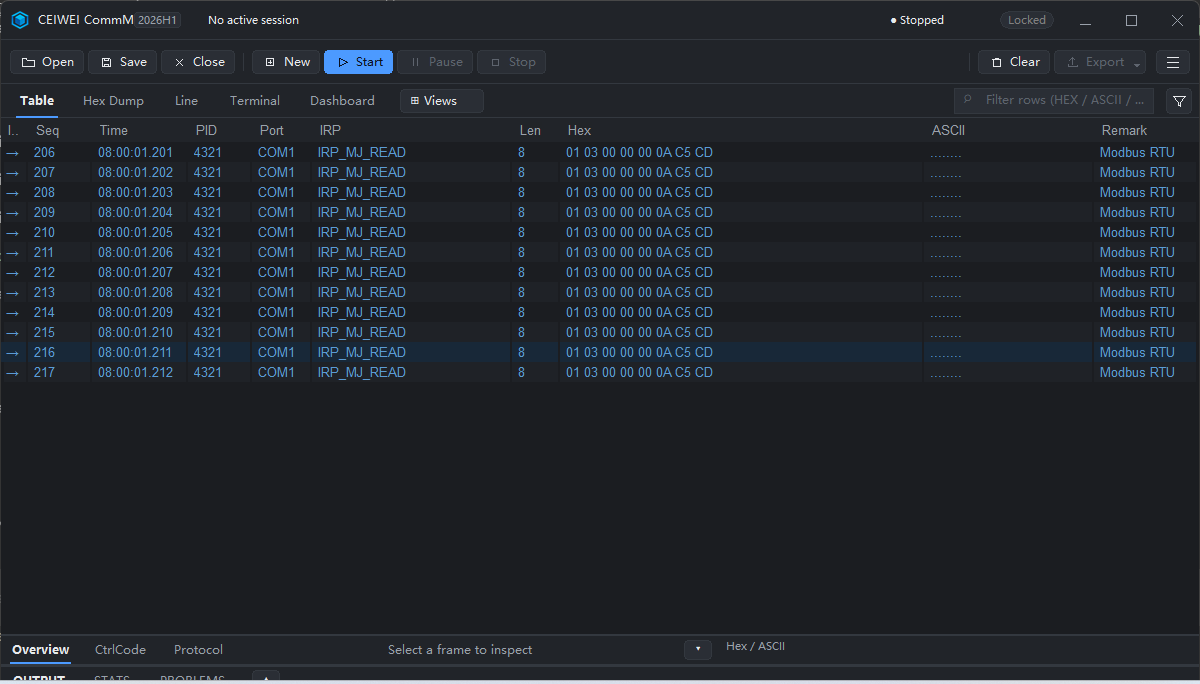
CEIWEI CommMonitor 2026H1 is a driver-level serial port monitor and protocol analysis tool for Windows. It captures COM-port traffic without taking the port away from your existing application, with six views for tabular data, hex dumps, line logs, terminal output, Modbus and protocol analysis.
Why CommMonitor
Most serial monitors must open the port to read it, which prevents your existing application from opening it. CommMonitor works one layer lower.
The bundled kernel driver only attaches a filter. Your application keeps the port handle and keeps talking — CommMonitor just watches the traffic.
Both builds contain native machine code and require no .NET runtime. The executable is CommMonitor.exe for either architecture.
Traffic using Modbus RTU/ASCII, DL/T 645, IEC 60870-5-101, NMEA 0183 and AT is decoded as frames arrive. The Modbus and Protocol tabs are visible in every edition, but the decoded fields display **** until a Professional licence is active.
Technical notes
Short, reproducible notes from the build you download: real captures, the bytes behind them, and the limits.
Explore
No anchors, no endless scrolling: the details live on separate pages.
Row filters, visible-column export, automatic file logging, TCP or HTTP forwarding, encrypted .cms sessions and the local dashboard.
Modbus RTU/ASCII, DL/T 645, IEC 60870-5-101, NMEA 0183 and AT commands, decoded next to the raw bytes in the Professional edition.
The same capture in a browser on the local machine, with its own bundled runtime. Free sees masked data; Professional sees the real bytes.
Installers and portable builds for x64 and x86, with file size, SHA-256 hash and system requirements.
Install it, pick a port and start capturing. Your own software keeps the port.