

Technical note
A serial monitor that does not take the port
Most serial monitors open the port they want to watch, which prevents the application under test from opening it. CommMonitor attaches a filter one layer lower and leaves the handle where it is.
Updated 2026-10-30 · Applies to 14.0.0.26002 · 4 min read
Two ways to watch a port
A conventional monitor calls CreateFile on COM5. From that moment the port belongs to the monitor: your own software gets a sharing violation until the monitor closes it.
CommMonitor installs a kernel filter on the serial driver instead. The filter sees the same IRP stream the driver sees - create, device control, write, read, close - but it never owns the port. Your application opens COM5 as usual and keeps it open.
What the filter records
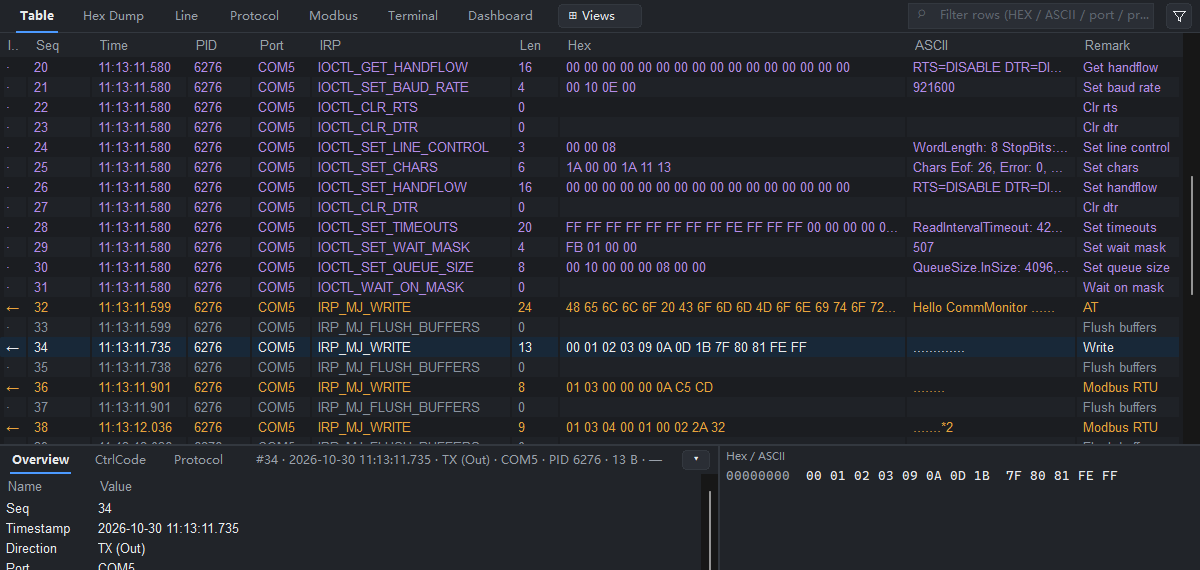
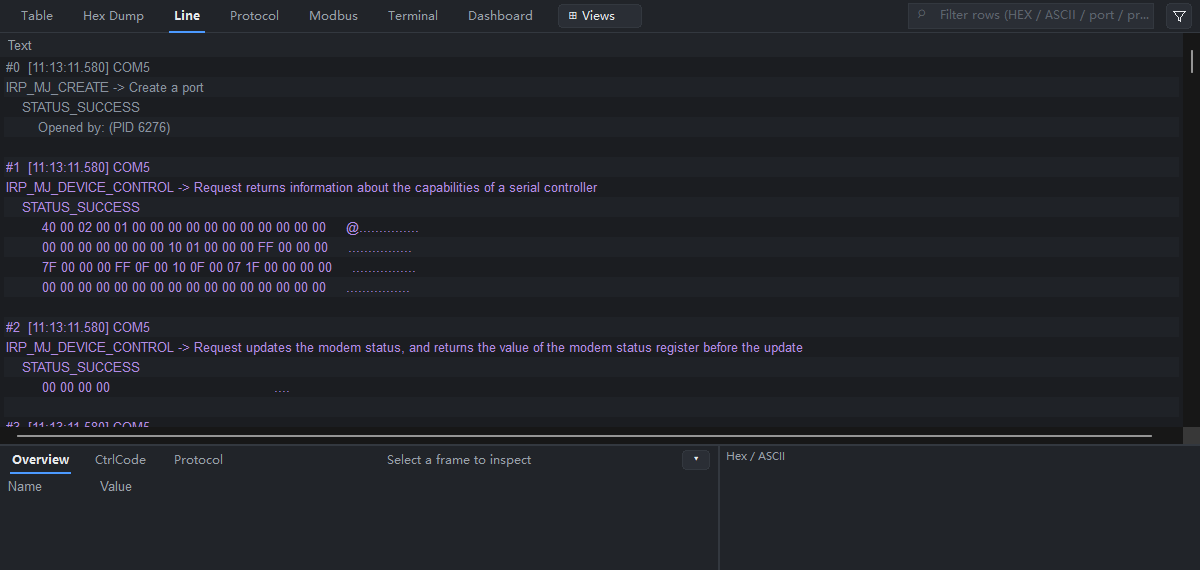
The protocol code frames (IRP_MJ_CREATE, IRP_MJ_DEVICE_CONTROL, IRP_MJ_WRITE, IRP_MJ_READ, IRP_MJ_CLOSE) are captured along with the payload and the issuing PID. That is why the Line view can show who opened the port, not just that it was opened.
Check it on your own machine
A five-minute check, no reboot:
- Start monitoring the port in CommMonitor.
- Open the same port from your own application and keep it open.
- Send or receive a few bytes.
- Both should work at the same time; the monitor shows the traffic, your application keeps the handle.
- Close your application; the monitor records IRP_MJ_CLOSE and stays attached.
What this means in practice
- No sharing violation, because the monitor never calls CreateFile on the port.
- IOCTLs are visible too, so baud-rate changes and line-control calls appear next to the data.
- The PID column tells you which process generated each frame.