

Technical note
One capture, six views
The same frames look different depending on what you need to prove. Each view answers a different question.
Updated 2026-10-30 · Applies to 14.0.0.26002 · 4 min read
Table: the index
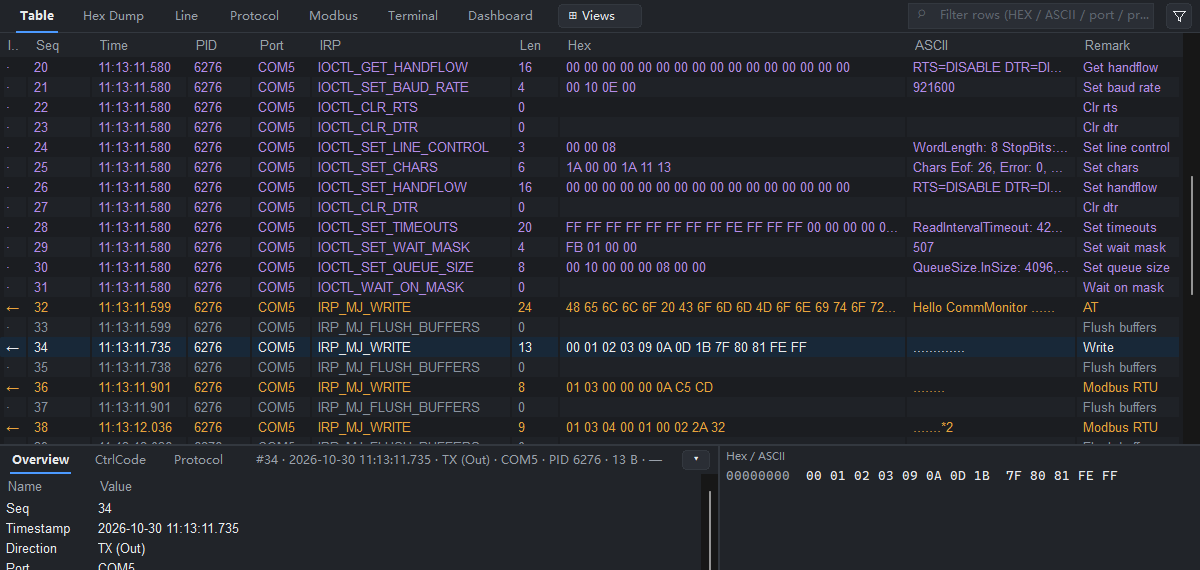
One row per frame with sequence, time, PID, port, IRP, length, hex and ASCII. This is where you scan for the frame that matters, then select it.
Hex Dump: the bytes
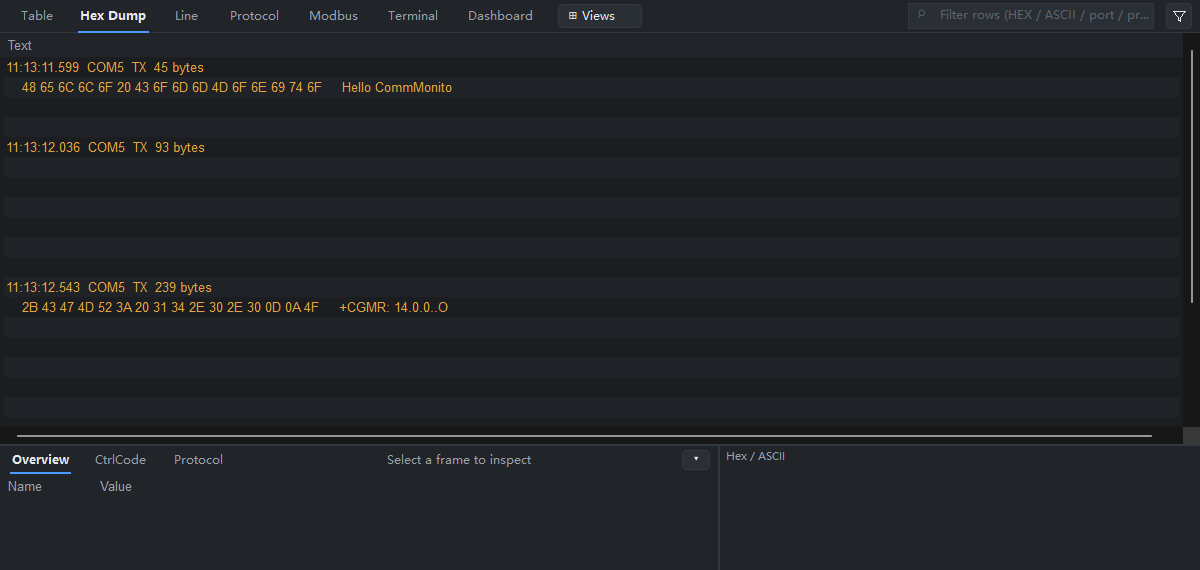
Merged write blocks with an ASCII column. Use it when the payload is more important than the IRP that carried it.
Line: the story
One block per frame, with the IRP name, status and a plain-English description. This is the view that answers who opened the port and what a control call did.
Terminal: the text stream
The payload as text, for devices that speak ASCII or AT commands. Control calls remain visible but are not the point of this view.
Modbus and Protocol: the meaning
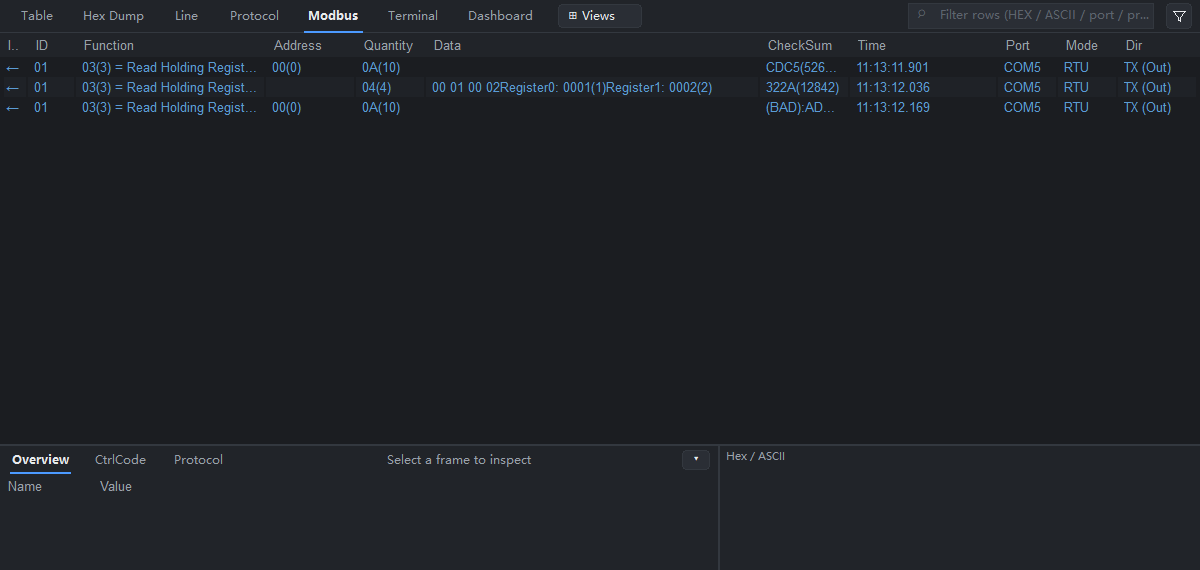
Modbus decodes slave, function, address, quantity, data and checksum. Protocol adds NMEA, DL/T 645, IEC 60870-5-101 and AT, with a summary line per frame.
What this means in practice
- Start in Table to find the frame, then switch views without losing the capture.
- Line is the fastest way to explain an IOCTL to someone else.
- Modbus and Protocol are the only views that interpret the payload for you.